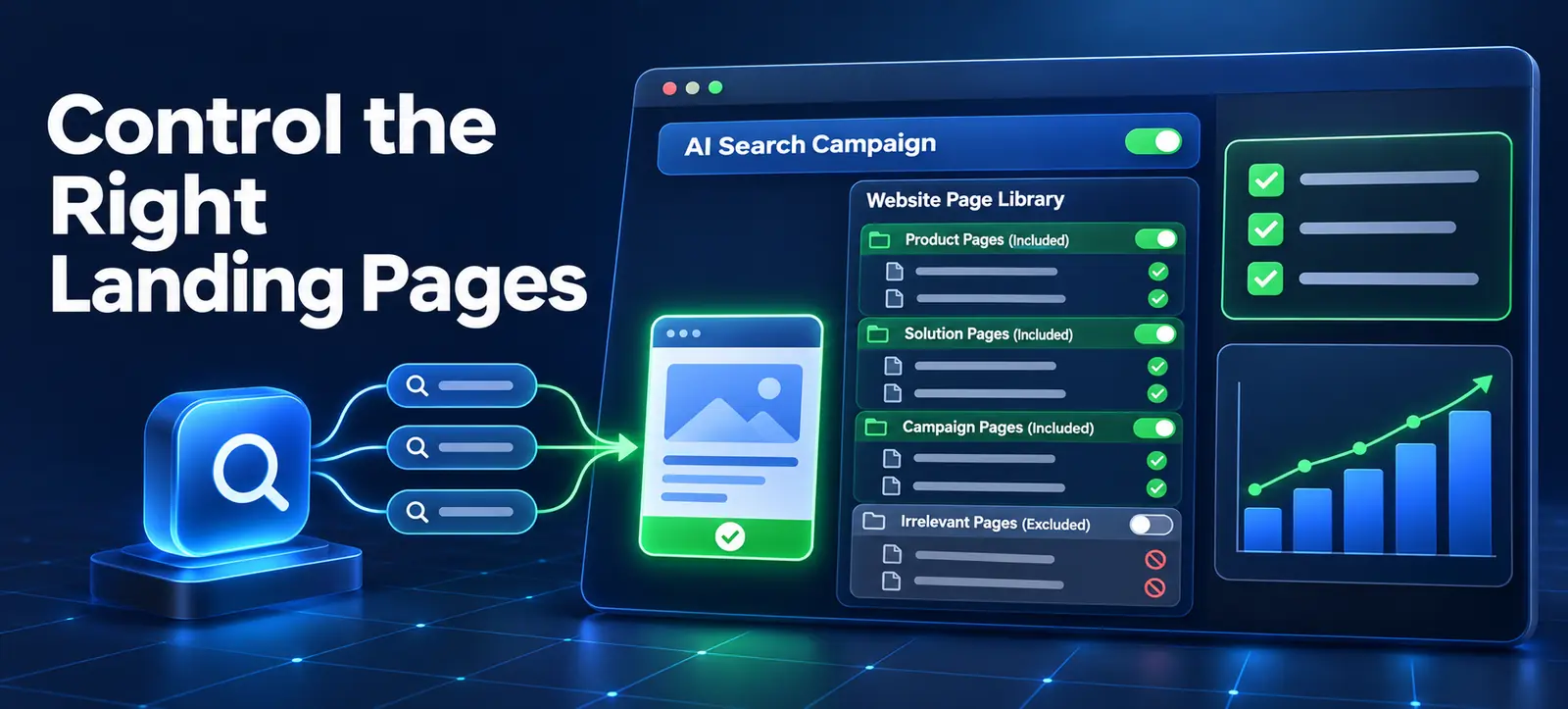
Microsoft AI Max URL inclusions let advertisers specify which parts of a website final URL expansion may use. Microsoft announced the control on 19 November 2026 and says it is rolling out now.
The inclusion can influence more than the final landing page. Microsoft says eligible pages can also inform text customisation and search-term matching. That makes approval a joint paid-media, website, brand and measurement task rather than a quick campaign setting.
What URL inclusions change
Microsoft’s November product update describes URL inclusions as a steering control for AI Max final URL expansion. Advertisers can point the campaign toward relevant website sections, such as a set of seasonal gift guides, so AI Max can route traffic there and use those pages as context.
The broader AI Max announcement explains that search-term matching, text customisation and final URL expansion work together. Existing campaign controls, including negative keywords, budgets, bidding, conversion goals and targeting, still matter.
URL inclusion is not a guarantee that every approved page will receive traffic. It defines eligible website territory for the campaign. Relevance, auction conditions, other settings and the quality of the page continue to influence delivery.
Page group
Approval question
Common risk
Decision
Product or service pages
Does the offer match campaign intent and availability?
Out-of-stock, unsupported or wrong-market offer
Include after commercial review
Guides and category pages
Do they support the same customer journey?
Informational visit with no suitable next step
Include selectively
Campaign landing pages
Are dates, claims and tracking current?
Expired promotion or duplicated conversion action
Include only for active period
Legal, login or careers pages
Could the page satisfy the advertised intent?
Irrelevant destination or generated messaging source
Keep outside the inclusion
Start with a campaign intent map
Write the campaign’s approved products, services, locations, languages, audiences and conversion actions. Then list the website sections that genuinely support those boundaries. Avoid including an entire domain simply because it is operationally convenient.
Separate commercial pages from supporting information. A guide can be useful when it answers the same decision and offers a clear next step. It is unsuitable when the campaign expects an immediate purchase but the page serves unrelated research.
Kayaar’s Microsoft Advertising AI Max guide explains the full feature suite and the existing brand, term and URL controls. Use that campaign-level review before narrowing the inclusion set.
Audit every proposed page group
Crawl or export the candidate URLs and assign an owner. Check response status, canonical URL, mobile experience, language, market, inventory, price, offer dates, forms and conversion tracking. A page should not become eligible merely because it sits inside an approved folder.
Review the visible heading, body copy, metadata and structured information that automation could interpret. Remove unsupported claims, stale promotions and ambiguous wording. Confirm that important restrictions are clear rather than hidden in a footer or downloadable file.
Test the final destination after redirects, consent routes and location rules. The stored URL may not be the page a customer receives. Kayaar’s search-term landing-page report audit provides a workflow for checking the delivered query, headline and final page together.
Coordinate inclusions and exclusions
Inclusions define the parts of the site the campaign should use; exclusions protect against pages that must remain unavailable. Document how the two sets interact in the account instead of assuming an inclusion replaces every previous control.
Keep login areas, account pages, recruitment, legal policies, support articles, expired campaigns, internal search results and untracked destinations outside campaign eligibility unless there is a documented reason. Also review brand controls, negative keywords and text guardrails because a suitable page does not automatically make every query or generated message acceptable.
Use stable rules where possible, but do not rely on an overly broad folder pattern without sampling its contents. Websites change. A section that is clean today may gain new pages, filters or archived offers later.
Set a controlled test plan
Choose a campaign with reliable conversion tracking, enough volume and clear commercial outcomes. Record the current search terms, landing pages, assets, spend, conversions, qualified results and settings before changing eligibility.
Define the hypothesis. For example, including only approved service and comparison pages will improve relevant landing-page matches without reducing qualified conversion value. Decide the evaluation window and stop conditions in advance.
Avoid changing bidding, budget, creative rules and URL controls simultaneously. Kayaar’s Microsoft Advertising experiment plan explains how to isolate changes and wait for meaningful data rather than reacting to daily variance.
Measure query-to-page quality
Review which search terms reached which included pages and what headline was delivered. Classify each combination by intent match, offer accuracy, market fit and conversion quality. A high click-through rate does not justify a destination that fails the customer’s task.
Check qualified leads, revenue, cancellations and customer value when those signals are available. Platform conversions can reward low-quality submissions if the conversion goal or CRM feedback is weak. Kayaar’s Microsoft Advertising and HubSpot guide shows how downstream outcomes can support campaign decisions without exposing unrestricted customer data.
Keep a change log for every addition or removal. If performance shifts, the team should be able to identify whether eligibility, page content, tracking or another campaign setting changed.
Run recurring governance checks
Review included sections at least monthly and whenever products, prices, locations, policies or website templates change. Re-crawl the set, test conversion actions and confirm that newly published pages meet the same approval standard.
Assign owners for the campaign, website, brand claims and analytics. Automation can choose among eligible pages, but responsibility for accurate advertising and functioning customer journeys remains with the advertiser.
URL inclusion approval checklist
Campaign intent, market, language and conversion action are documented.
Every included section contains relevant, current and tracked pages.
Unsuitable login, legal, careers and expired pages remain ineligible.
Brand controls, negatives, exclusions and messaging rules are aligned.
A baseline, hypothesis, review window and stop condition are recorded.
Search-term, headline, landing-page and qualified outcomes are reviewed.
For an independent AI Max landing-page review, contact Kayaar with anonymised campaign objectives and page groups. Never send passwords, customer records or unrestricted account exports.
FAQs
What are Microsoft AI Max URL inclusions?
They let advertisers specify website sections that final URL expansion may use for destinations, text context and search matching.
Do URL inclusions guarantee traffic to every page?
No. They define eligible website territory, while relevance, auctions and other campaign settings still influence delivery.
Should an entire website be included?
Only when every eligible section supports the campaign intent, market, claims, conversion journey and tracking requirements.
How should included pages be tested?
Check response, mobile experience, offer accuracy, redirects, tracking and the delivered query-to-headline-to-page relationship.
How often should URL inclusions be reviewed?
Review them at least monthly and after material changes to products, prices, locations, campaigns or website templates.