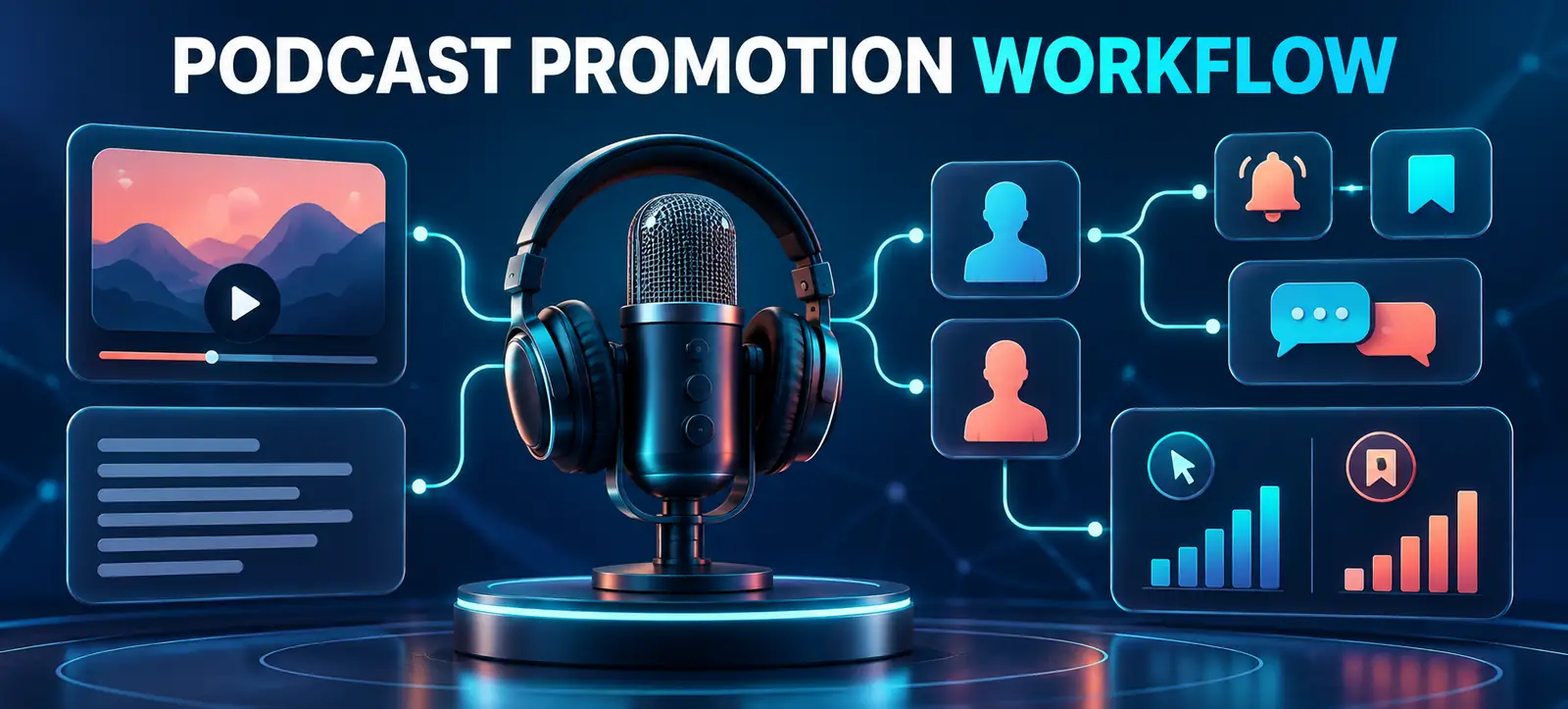
Threads podcast tools give creators new ways to present a show, promote individual episodes and measure the conversations that Threads sends back to their content. Meta announced profile banners, tappable episode cards, transcript and guest cards, reminders, episode saves and Podcast Insights on 16 September 2026.
The features can make podcast promotion more organised, but they do not replace a clear editorial plan. A creator still needs a useful episode promise, an accurate destination, a reason for people to reply and a measurement process that goes beyond impressions.
This workflow helps podcast teams turn one episode into a short, practical Threads campaign without repeating the same link every day.
Podcast banners that can appear across a profile and posts.
An episode picker for featuring a selected episode.
Tappable cards for podcast links.
Transcript, video and guest cards for sharing highlights.
The ability for listeners to save episodes from their feed.
Optional reminders that prompt creators to share new episodes.
Podcast Insights covering reach, engagement, clicks and saves driven by Threads.
Availability can still vary during a rollout, so check the actual account before committing campaign dates. Do not promise a guest or sponsor that every feature will appear until the team has tested it.
Match each feature to a communication job
Feature
Best use
Useful metric
Quality check
Profile banner
Make the show easy to identify
Profile-to-podcast visits
Current branding and destination
Episode card
Promote one clear listening promise
Clicks and saves
Correct episode and accessible link
Transcript or video card
Show a useful moment in context
Replies, quotes and completion
Accurate excerpt and captions
Guest card
Introduce expertise and invite discussion
Relevant replies and profile visits
Guest approval and correct attribution
Podcast Insights
Review discovery and action
Reach, engagement, clicks and saves
Stable date range and campaign notes
Prepare the podcast destination first
Before posting, check the show name, cover image, description, episode title and destination link. A person who taps should immediately recognise the promise made in the Threads post. Confirm that the listening page works on mobile, loads quickly and offers the expected platform choices.
Use the profile banner for the long-term show identity, not a temporary claim that will be outdated next week. Feature an episode that represents the programme well or supports the current campaign. Meta previously added up to five profile links and deeper link reporting; its Threads profile and Insights update provides useful background for keeping destinations focused.
Build a five-post episode sequence
One episode can support several posts when each has a different job. Avoid publishing the same headline and link repeatedly.
Problem post: state the audience question and ask how people currently handle it.
Episode card: introduce the episode’s specific benefit and link to the full conversation.
Transcript highlight: share one self-contained idea, then invite a response rather than hiding the value behind a click.
Guest card: explain why the guest’s experience matters and ask a focused follow-up question.
Learning post: summarise the strongest audience response and point people to the episode when relevant.
Adapt the plan to available resources. A solo creator may use three posts; a branded show may include approved video clips and guest collaboration. Kayaar’s creative brief workflow can help define the audience, message, proof, format and approval checks before clips are produced.
Design posts for conversation
Threads is built around public discussion. Give people enough context to reply without listening first. Ask about a real choice, experience or disagreement raised by the episode. Avoid empty prompts such as “thoughts?” and do not ask a question whose answer the team will ignore.
Assign someone to respond during the launch window. A useful reply can clarify the episode, surface a new audience question or identify a future guest. Keep sensitive customer or personal information out of public exchanges and move service enquiries to an appropriate private route.
Transcript and guest cards need editorial review. Verify names, quotes and context; obtain permission for promotional clips; add captions to video; and avoid turning a nuanced discussion into a misleading claim. The brand safeguards in Kayaar’s Meta business-plan evaluation guide remain relevant when paid tools or team access support the workflow.
Keep account ownership and source files under business control. Give collaborators individual access where the available tools permit it, record who approves each episode asset and remove access when a project ends. Store the final transcript, captions, guest permissions, link destinations and campaign notes together. This makes corrections faster and prevents a promotion sequence from depending on one team member’s device or personal account.
Measure discovery, action and listening quality
Use Podcast Insights to track Threads reach, engagement, clicks and saves. Read them as different stages: reach shows exposure, replies show conversation, saves indicate possible future intent and clicks show movement toward the episode. None proves that a listener completed the show or became a customer.
Add tagged links where the destination permits them, and compare Threads referrals with listening-platform data. Record the episode, post format, publishing time, guest involvement and campaign dates. Kayaar’s social performance-review workflow explains how to turn platform activity into one accountable next action.
If the podcast also runs on YouTube, keep its analytics separate. Public views, engaged views, watch time and retention answer different questions. The YouTube engaged-views guide gives the correct context for that channel.
Run a two-episode pilot
Test the workflow across two comparable episodes before changing the entire promotion calendar. Keep the number of posts and measurement window stable. Compare click rate, save rate, relevant replies, listening starts and any business action the podcast supports.
At the review, decide which card or prompt helped, which step added work without evidence and which audience questions deserve future episodes. Do not present one viral post as a repeatable strategy. For help building a practical social content and measurement plan, contact Kayaar.
FAQs
What are the new Threads podcast tools?
They include podcast banners, episode cards, transcript, video and guest cards, episode saves, sharing reminders and Podcast Insights.
What does Threads Podcast Insights show?
Meta says Podcast Insights shows the reach and engagement Threads drives for a podcast, including clicks and saves.
Should every podcast post include a link?
No. Mix episode links with useful transcript highlights, guest context and conversation prompts so each post has a distinct purpose.
How often should a podcast promote one episode?
Use a short sequence matched to available material and audience response. A focused three-to-five-post plan is more useful than repeating one link.
Do Threads clicks prove podcast success?
No. Combine Threads clicks and saves with listening starts, completion or retention and the business outcome the podcast is intended to support.