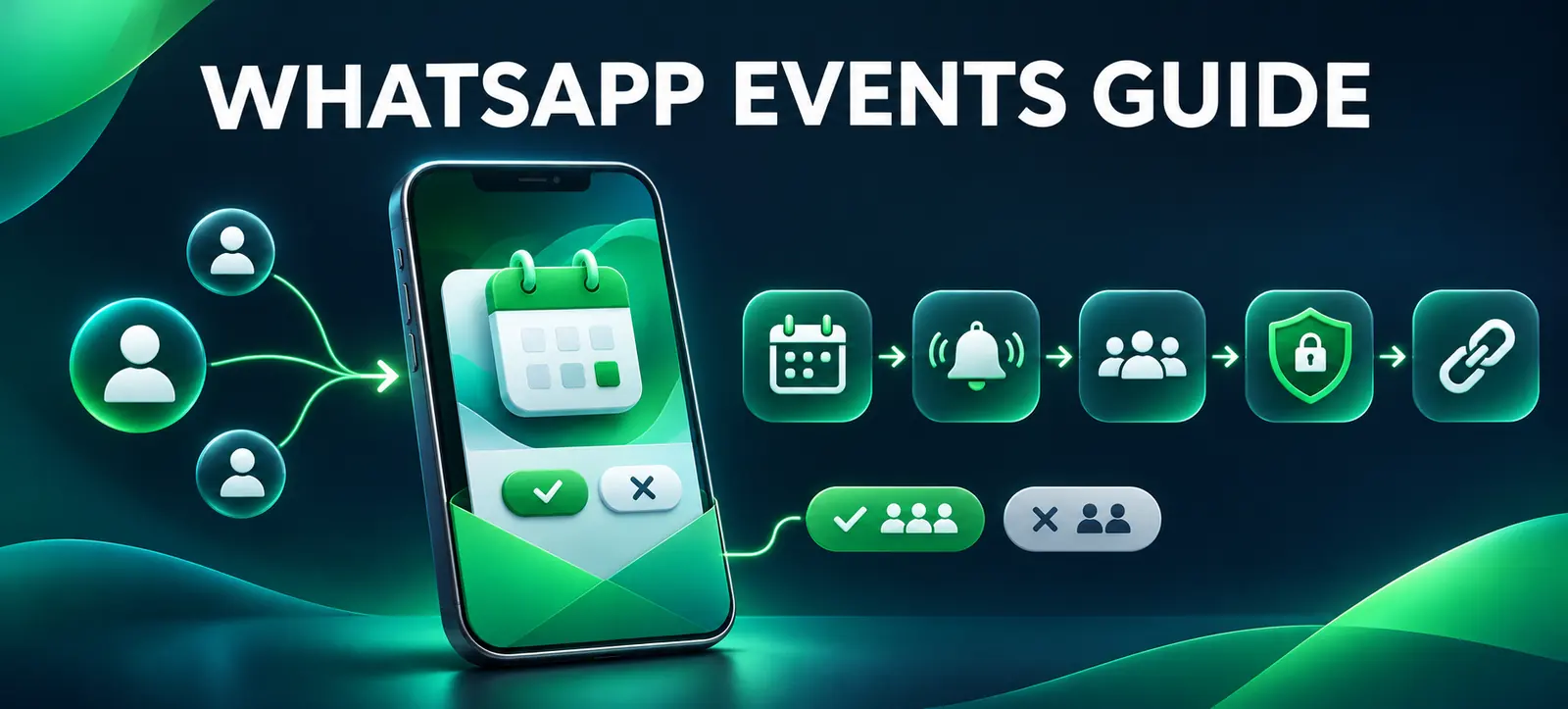
WhatsApp Events update features announced on 5 November 2026 make it easier to create invitations, share them beyond WhatsApp and coordinate responses. The update adds an Events Home, cover photos, external invitation links, custom reminders and plus-one options.
For a small business, these tools can simplify workshops, store events, community sessions and customer meetups. They do not turn a private messaging service into an unrestricted marketing list. This guide explains how to use the update with clear planning, consent and measurement.
What changed in WhatsApp Events
Meta’s official WhatsApp Events announcement says organisers can create an event, add a cover photo and share an invitation link. People without a WhatsApp account can view details and RSVP without downloading the app.
A new Events Home provides one place to create and send invitations, manage responses and review past or upcoming events. Organisers can use custom reminders and allow a guest to bring a plus one. Meta says the update is rolling out over several weeks, so availability may differ by account, device and region.
Check the actual interface before promising a workflow. A screenshot from another market is not evidence that every feature is available to your business today. Kayaar’s Meta product evaluation guide offers a useful approach for testing account-specific access and value.
Start with a suitable event
Use WhatsApp Events when simple attendance coordination is the main need: a free workshop, appointment day, product demonstration, networking meetup or existing community gathering. It may not replace ticketing software when payment, assigned seating, legal waivers, complex sessions or detailed attendee exports are required.
Event type
Useful WhatsApp feature
Planning caution
Free workshop
Shareable invite, RSVP and reminders
Confirm capacity and waitlist handling outside the invite.
Store demonstration
Cover photo, location and plus-one option
Do not expose private staff or access details.
Customer meetup
External link for guests without WhatsApp
Collect only the information needed to coordinate attendance.
Online session
Event details and timely reminders
Test access links, time zones and host permissions.
Paid conference
Possible reminder channel after registration
Use a proper ticketing and payment system as the source of truth.
Create a clear invitation
Write an event name that states the activity rather than relying on a clever slogan. Include the correct date, time zone, venue or access method, intended audience, cost, capacity, accessibility information and what guests should bring. Use a cover image that accurately represents the event.
The current WhatsApp event creation guidance explains fields such as description, end time, location, call link and guest allowance. It also notes operational limits, including one event host and restrictions that can apply when disappearing messages are enabled.
Ask a colleague to review the invitation on mobile before distribution. Check spelling, map accuracy, time zone, contrast and whether important information remains understandable without relying on the image.
Keep a dated copy of the approved invitation. If information changes, update the event promptly and repeat the essential change in the channel where the link was promoted.
Plan the invitation path
Decide who should receive the link and why. Share it with customers or community members who have a reasonable connection to the event. Do not scrape numbers, buy contact lists or add people to chats without an appropriate basis.
Use a short landing page when the event needs fuller context, policies or conversion tracking, then place the WhatsApp invitation as the RSVP step. Kayaar’s social media guides can help align the event with a wider channel plan instead of treating one invitation link as the entire campaign.
Record where each promotion appeared: website, email, Instagram, LinkedIn, partner page or in-store QR code. Use channel-specific links only when the chosen setup supports reliable, privacy-respecting attribution. Never imply that WhatsApp itself provides analytics it has not documented.
Protect guest privacy
Meta says phone numbers are not shown to guests an organiser does not know. Guests without a WhatsApp account see the event address only after they RSVP. These safeguards reduce exposure, but organisers still control what they place in the title, image, description and shared link.
Avoid publishing a private home address, access code, attendee list or sensitive customer information in a widely shared invitation. Use a public meeting point or release final access details through an appropriate controlled process. Tell guests what will happen with any details collected outside WhatsApp.
Personal messages and calls remain end-to-end encrypted, according to Meta. Do not turn that statement into a blanket claim that every event detail, external form or third-party tracking tool has the same protection.
Build the operating workflow
Assign an owner. One person should manage the event record, guest questions, edits and cancellation decisions.
Set an RSVP deadline. Leave time to confirm capacity, staffing, catering and accessibility needs.
Schedule useful reminders. Send only what helps: confirmation, final logistics and a last-day reminder. Avoid repetitive messages.
Prepare exceptions. Decide how to handle plus ones, full capacity, late arrivals, non-WhatsApp guests and changed locations.
Test cancellation. Confirm who receives updates and maintain a separate record for paid bookings or regulated attendance.
If enquiries continue after the event, define response ownership and human escalation. Kayaar’s Meta Business Agent guide explains why automated conversations still need accurate source information and clear handoff rules.
Measure business value
Track invitations distributed, responses, confirmed attendees, actual attendance and the business outcome relevant to the event. That outcome could be qualified consultations, completed demonstrations, repeat visits or revenue—not merely the number of RSVPs.
Use a check-in method that does not collect unnecessary data. Compare expected attendance with actual attendance and document common questions, no-show reasons and capacity problems. Kayaar’s social performance review provides a practical framework for connecting platform activity with business evidence.
After the event, send one useful follow-up to people who reasonably expect it. Do not automatically add every attendee to unrelated promotional lists. Review results, privacy issues and staff effort before repeating the format. For help designing a responsible event promotion workflow, contact Kayaar.
FAQs
What is included in the WhatsApp Events update?
The update adds Events Home, customized invitations, external invite links, RSVP management, reminders, cover photos and optional plus-one support.
Can people without WhatsApp RSVP to an event?
Yes. Meta says people without a WhatsApp account can use a shared invitation link to view details and RSVP without downloading the app.
Can unknown guests see my phone number?
Meta says event invites hide your phone number from guests you do not know.
Does WhatsApp Events replace ticketing software?
Not always. Paid, regulated or complex events may still need dedicated payment, ticketing, waiver and attendee-management systems.
Is the updated Events feature available to everyone?
Meta says it is rolling out over several weeks, so businesses should confirm availability in their own account and device before promoting it.