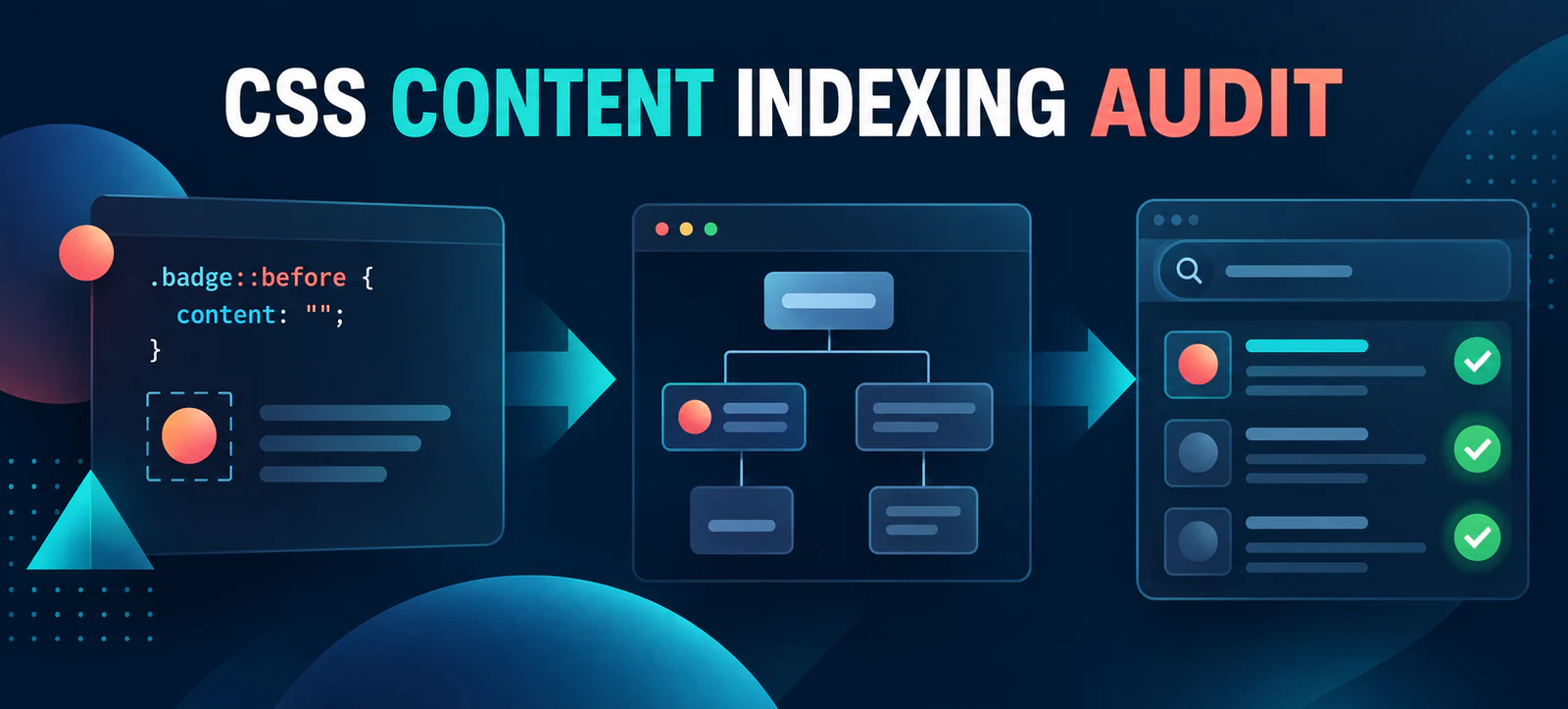
CSS generated content and SEO need a fresh audit after Google clarified its developer guidance on 22 September 2026. Text inserted with the CSS content property is not part of the document object model (DOM), so Google Search may ignore it. That makes pseudo-elements useful for decoration, but risky for information people and search engines need to understand a page.
This is a documentation clarification, not a new ranking update. You do not need to remove every ::before or ::after rule. The practical response is to find essential text generated by CSS, move that text into semantic HTML and confirm the rendered page remains useful without its visual styling.
What Google clarified about CSS content
Google’s updated Search-friendly developer guide now says text should be accessible in the DOM. It specifically notes that content added through the CSS content property is outside the DOM and may not be indexed. Google’s Search documentation changelog records the clarification.
The distinction is simple: HTML describes content and meaning, while CSS controls presentation. A browser can paint generated text on screen even when that text does not exist as a normal HTML node. Crawlers, accessibility tools and other systems may therefore receive a different or incomplete representation.
Which implementations deserve attention?
Start with information that changes a user’s decision or ability to complete a task. Prices, availability, warnings, form instructions, product attributes and navigation labels should not depend on CSS. Decorative quotation marks, separators and background flourishes are usually appropriate generated content because losing them does not change meaning.
Content type
Risky pattern
Safer implementation
Quick test
Heading or label
All words in ::before
Semantic heading or visible HTML label
Inspect the Elements panel
Price or availability
Value supplied by content:
Server-rendered or DOM text
Disable CSS and recheck
Warning or instruction
Generated only on an error state
HTML message tied to the control
Review the accessibility tree
Link or button name
Icon plus generated wording
Visible text or a tested accessible name
Navigate using keyboard and screen reader
Decorative icon
Purely visual pseudo-element
CSS is acceptable when meaning is unchanged
Hide it and confirm no information is lost
A seven-step CSS generated content audit
1. Inventory pseudo-elements and content rules
Search stylesheets and component files for ::before, ::after, content: and generated attribute values. Record the page template, selector, displayed value and business purpose. This creates a manageable list instead of encouraging a risky site-wide rewrite.
2. Compare the page with CSS disabled
Temporarily disable styles in a test environment or browser developer tools. If a visitor loses a heading, instruction, price, breadcrumb, link label or important status, mark it for remediation. This same check belongs in a broader 60-minute website SEO audit.
3. Inspect the DOM and accessibility tree
Visual appearance is not enough. Open the browser’s Elements and Accessibility panels and locate the information. If it is painted by a pseudo-element but absent from the DOM, do not assume Google or assistive technology will interpret it consistently. Test controls with a keyboard and, where possible, a screen reader.
4. Prioritise content by consequence
Fix elements that affect understanding, conversion, compliance or eligibility first. A generated star beside a featured product is low risk; generated finance terms or a required form instruction are high risk. Keep a simple severity score so developers can address shared templates before isolated pages.
5. Move essential meaning into HTML
Put essential words in headings, paragraphs, lists, labels, links and buttons. Use CSS to style those elements or add non-essential ornamentation around them. If structured data describes the page, confirm its visible counterpart is also present. Kayaar’s article schema and author URL guide explains why machine-readable markup should support, not replace, visible content.
6. Retest templates and responsive states
Check desktop and mobile layouts, expanded menus, form errors, accordions and dynamically rendered components. A change can solve indexing while introducing duplicate labels or broken spacing. Include representative pages from every component variant, not just the homepage.
7. Validate and monitor
Use Search Console URL Inspection after deployment to review Google’s rendered page and request recrawling for important URLs. Track impressions, clicks and conversions, but do not promise an immediate ranking improvement. Add the check to recurring technical reviews and use a disciplined SEO tools evaluation checklist before trusting automated warnings.
How to implement the fix without overcorrecting
A safe change separates meaning from presentation. For example, place “Required” in a real <span> associated with the field, then style that span. Do not rely on label::after { content: "Required"; } as the only instruction. Likewise, keep a button’s action in its HTML text or tested accessible name rather than showing it only through a pseudo-element.
Do not convert harmless decoration into noisy markup. Generated arrows, quotation marks and separators can remain in CSS when removing them leaves the same message and task. The goal is a resilient page, not zero pseudo-elements.
Add the check to development quality control
Prevention is cheaper than repairing many live templates. Add a review item to component acceptance criteria: meaningful copy must exist in semantic HTML and remain understandable when CSS is unavailable. Ask designers to identify which visual elements carry information, and ask developers to document any pseudo-element that displays words rather than decoration.
Automated searches can flag content: declarations during code review, but a person still needs to judge purpose. Save screenshots, affected URLs and test results with the ticket. That evidence helps SEO, accessibility, design and engineering teams agree on priority and verify the corrected component before release.
For AI-assisted search experiences, accessible source content also gives retrieval systems a clearer basis for interpretation. Combine this technical correction with the evidence, entity and page-quality checks in Kayaar’s generative search visibility audit. If implementation support is needed, share the affected templates and audit evidence through the Kayaar contact page.
FAQs
Can Google index CSS generated content?
Google says content added through the CSS content property is not part of the DOM and may not be indexed. Put essential text in HTML.
Is CSS content safe for decorative icons?
Yes, when the icon is purely decorative and removing it does not change meaning or prevent a user from completing a task.
Which content should always be in the DOM?
Headings, prices, availability, warnings, instructions, link text, button names and other information needed to understand or use the page should be in the DOM.
How can I find CSS generated content?
Search stylesheets for pseudo-elements and content properties, disable CSS, then compare the visible page with the DOM and accessibility tree.
Will moving text into HTML improve rankings?
It can make essential information more consistently accessible, but no ranking gain is guaranteed. Validate the change and monitor search and conversion data.