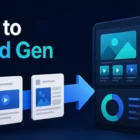
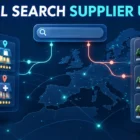
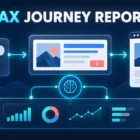
Google Demand Gen one-click ads reduce the distance between an image impression and an advertiser’s landing page. Google’s September 2026 Demand Gen update says image ads on YouTube Shorts and Gmail can now send a user to the destination page with one tap. That shorter path is useful, but it also removes room for an unclear promise, a slow page or incomplete measurement to hide.
This guide turns the update into a practical readiness workflow. It is not a forecast of results. Teams should confirm feature availability in their own account, validate every destination and test the experience with controlled budgets before expanding it.
What Google announced in the September Demand Gen Drop
Google’s official September Demand Gen Drop describes three changes. One-click image experiences are available on YouTube Shorts and Gmail. Shorts advertisers need a 9:16 full-bleed image to use the streamlined journey. Business Agent for YouTube Ads can answer product or brand questions beside eligible video ads that use product feeds. Affiliate Location Extensions can also show promoted pins in Google Maps for eligible retail networks and dealerships.
These capabilities serve different journeys. One-click ads connect discovery to a website. Business Agent supports product research inside YouTube. Location extensions help people find nearby sellers. Do not activate all three simply because they appear in an account; choose the capability that solves a defined customer problem.
Capability
Required input
Main risk
Pre-launch check
Shorts one-click image ad
9:16 full-bleed creative
Ad promise and page mismatch
Preview crop, tap and destination on mobile
Gmail one-click image ad
Clear image and final URL
Low-intent visits counted as success
Test meaningful conversion events
Business Agent
Accurate product feed and brand data
Incomplete or outdated answers
Audit product facts and eligibility
Maps location extensions
Eligible, accurate seller locations
Wrong branch or unavailable stock
Validate location and inventory data
A seven-step readiness workflow
1. Confirm access, placement and commercial goal
Check the live Google Ads interface and current account documentation before planning around the release. Availability may differ by market, account or campaign setup. Write one measurable goal for the test, such as a qualified lead, purchase or store visit. A click is a delivery event, not the final business outcome.
2. Map the shortest honest journey
Choose one audience, one promise and one destination. A user who taps a Shorts image should land on a page that immediately confirms the same offer, product and next action. If a broader campaign strategy needs review first, use Kayaar’s Demand Gen updates guide to separate platform changes from campaign decisions.
3. Build mobile-first creative
For Shorts, prepare a true 9:16 full-bleed image rather than stretching a landscape asset. Keep the main subject, value and call to action inside a safe central area. Use readable contrast, accurate product imagery and one message. Kayaar’s creative brief workflow can help teams document the promise and required variations before production.
4. Make the landing page continue the ad
The page should repeat the ad’s core promise near the top, load quickly on mobile and provide one obvious next step. Remove unrelated pop-ups or navigation choices that delay the task. Check forms, prices, availability, consent notices and confirmation pages. A faster tap does not compensate for a confusing destination.
5. Validate measurement end to end
Add consistent URL parameters, verify Google Ads and analytics events, and test the complete conversion path. Where appropriate, connect qualified offline outcomes rather than optimising only for form submissions. Kayaar’s Google Ads measurement stack guide explains how platform, analytics and CRM evidence should work together.
6. Review feed and location truth
If testing Business Agent, inspect product titles, descriptions, prices, availability and policies before inviting automated answers. For affiliate location extensions, confirm that the selected network or dealership data reflects where a customer can actually buy. Assign an owner and review cadence because product and location facts change.
7. Run a controlled rollout
Start with a defined budget, stable audience and limited creative set. Record the launch date and avoid changing bidding, targeting and landing pages simultaneously. Compare qualified conversion rate, value, cost and lead quality with a suitable baseline. Kayaar’s holiday advertising readiness guide provides a useful framework for launch controls and operational checks.
How to interpret Google’s performance claim
Google reports that advertisers adding Gmail to Demand Gen campaigns saw image creatives deliver an average 40% increase in conversions at the same ROI. The footnote identifies Google internal global Gmail Ads data from February 2026. Treat this as an aggregate platform observation, not a guaranteed uplift for a specific business, market or account.
Your decision should depend on incrementality and commercial quality. Review conversion lag, assisted paths, customer value and offline outcomes. If results improve, document which creative, audience and destination produced the change. If you need help designing a responsible test, contact Kayaar for a campaign and measurement review.
Build a simple experiment record before launch. Note the campaign, placement mix, audience, creative IDs, destination, attribution settings, primary conversion and evaluation window. Capture the same information for the comparison period or control. After enough data has accumulated, separate delivery changes from genuine efficiency gains. A rise in platform conversions may reflect more traffic, different conversion timing or weaker lead quality. Review sales feedback and revenue before scaling. This record also gives future campaign managers a reliable explanation of what was tested, what changed and which conclusion the evidence supports.
Final launch checklist
Feature availability and account eligibility are confirmed.
The ad promise, landing page and conversion action match.
Shorts creative is genuinely 9:16 and checked on mobile.
Analytics, Google Ads and downstream lead or revenue signals work.
Product feeds and location data have named owners.
The test has a budget, baseline and stop or scale criteria.
One-click delivery is valuable when it removes friction from a truthful, measurable customer journey. Build the journey first, then use the new format to shorten it.
FAQs
What are Google Demand Gen one-click ads?
They are image-ad experiences that let a user reach an advertiser’s landing page with one tap. Google announced the experience for image ads on YouTube Shorts and Gmail in September 2026.
Which placements support the new one-click experience?
Google’s announcement names image ads on YouTube Shorts and Gmail. Advertisers should still confirm current availability, eligibility and setup details in their own Google Ads account.
What creative format should Shorts image ads use?
Google says advertisers should upload 9:16 full-bleed image ads for the one-click Shorts experience. Preview the creative on mobile and keep essential content inside safe areas.
Does one-click delivery guarantee more conversions?
No. It shortens the route to a landing page, but results still depend on audience quality, creative relevance, page experience, measurement and the strength of the offer.
How should advertisers measure the update?
Track qualified conversions, value, cost, lead quality and offline outcomes against a suitable baseline. Do not judge success from clicks or platform-reported conversion volume alone.