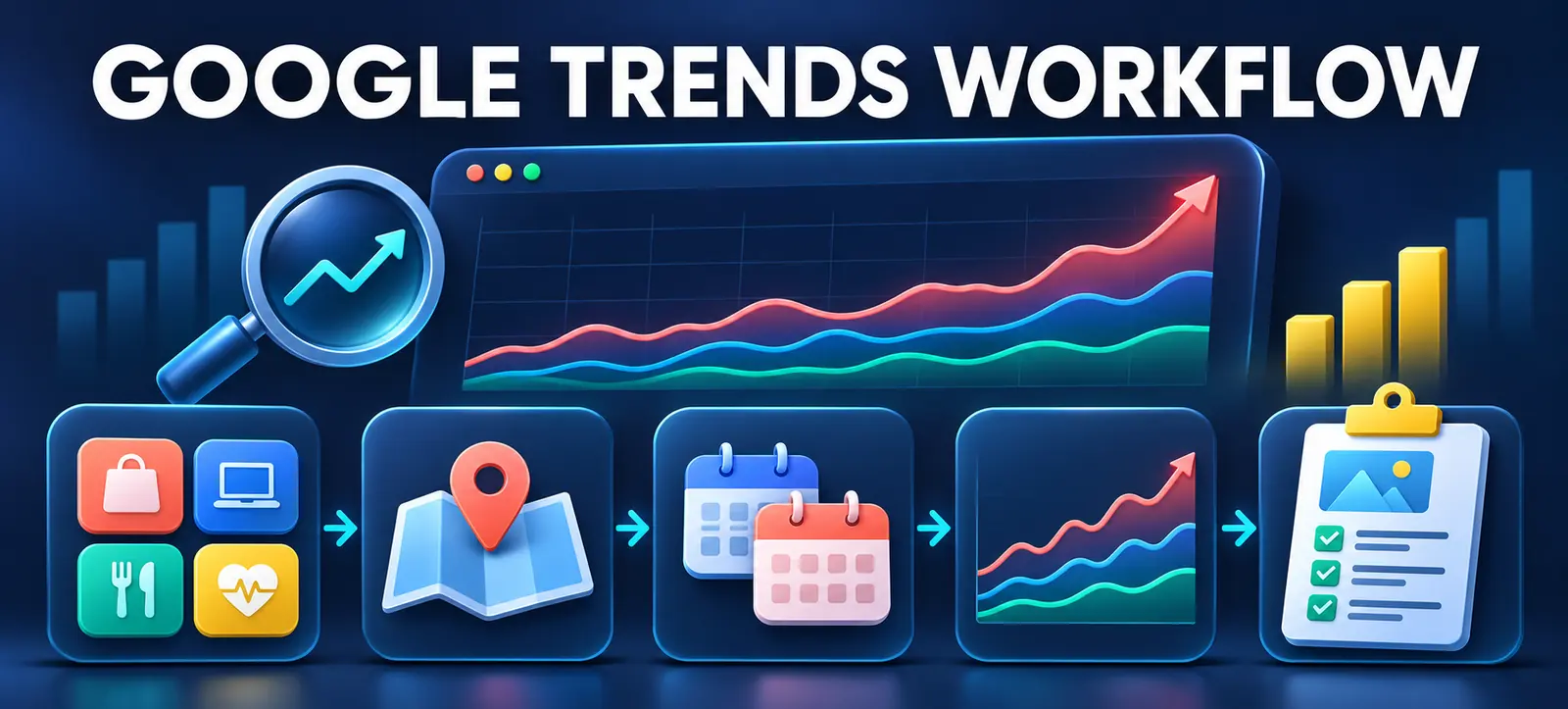
Google Trends category filters can help marketers discover demand before they decide which keywords to research. Google Search Central recently highlighted category filtering on the new Explore page, including the option to browse category-level top searches without entering a seed query.
The feature is useful for content planning, but Trends data is not search volume, a forecast or proof that a topic suits your business. This workflow shows how to move from category discovery to a validated, original content brief.
Understand what the category filter does
A category gives Google Trends context. Google’s category filter guidance uses “jaguar” as an example: a category can distinguish interest in the animal from interest in the car brand. This reduces ambiguity before comparing patterns.
On the new Explore page, a marketer can also choose a category without entering a query. That discovery-first approach can surface top and rising searches that would not appear in a narrow seed-keyword list.
Categories remain broad classifications, not perfect business segments. A digital marketing category may include jobs, courses, news, software and services. Treat the results as research leads that require interpretation.
Define the planning question first
Write one decision the research should support. Examples include: “Which SEO problem should a Dubai small-business guide address next month?” or “Which Google Ads topic is gaining interest before the holiday period?” Include the intended audience, market, timeframe and commercial relevance.
A clear question prevents the team from selecting the most dramatic chart without considering fit. Kayaar’s Google SEO learning plan explains how to turn official tools into practical evidence rather than passive browsing.
Run the category-first discovery
Open Explore. Start with no search term and choose the closest relevant category.
Set the geography. Select the market you genuinely serve. Use the UAE or a relevant country before narrowing further where data permits.
Choose the timeframe. Use 90 days for recent movement, 12 months for seasonality and several years for durable patterns.
Select the search property. Web, YouTube, News, Images and Shopping can reflect different user behaviour. Do not combine conclusions from unlike properties.
Record top and rising searches. Save the exact settings, date and visible related themes so another person can reproduce the review.
Research view
Question it helps answer
Common mistake
Category only
What themes are active before we choose a seed term?
Treating every result as relevant to the business.
90-day window
Which interests are moving recently?
Confusing a short spike with lasting demand.
Five-year window
Is the pattern seasonal, cyclical or durable?
Ignoring changes in terminology or the market.
Regional comparison
Does interest vary across target locations?
Using low-data regions as precise forecasts.
Search property
Is behaviour different on Web, YouTube or Shopping?
Comparing normalized scores as absolute volume.
Move from categories to topics and terms
Shortlist themes that match the planning question. Open each promising result, then compare a topic with the actual phrases people use. A Google Trends “topic” can group related concepts across languages, while a search term reflects the entered phrase more narrowly.
Check spelling variants, acronyms and Arabic or English phrasing where relevant. Do not add unlike terms to one comparison simply because the interface allows it. Each comparison should answer a defined question.
Use Kayaar’s regional search guide before treating one market’s trend as a global content opportunity. Search features, language and user expectations can differ by location.
Interpret normalized interest correctly
Google explains that Trends uses a sample of searches and normalizes results by time and location. Values are scaled relative to the highest point in the selected dataset. A score of 100 marks peak relative interest for that view; it does not mean 100 searches or 100 percent market share.
The official Trends data FAQ recommends relative comparisons when assessing popularity. Changing the market, timeframe, property or comparison set can change the scale, so record every filter with the finding.
Be cautious with “Breakout” or sharply rising terms. Investigate the cause: a product release, news story, seasonal event, viral post or spelling change. A spike can be useful, but it may disappear before an article can rank or support customers.
Validate against first-party evidence
Compare the shortlist with Search Console queries, site search, sales questions, customer-service logs and campaign search terms. Trends shows relative public interest; your first-party sources show whether the topic already matters to your audience.
Kayaar’s Search Console filter audit helps separate country and device patterns before combining results. Also review existing pages, titles, intent and internal links to prevent duplicate coverage or keyword cannibalisation.
If the site lacks reliable measurement, run Kayaar’s 60-minute website SEO audit before turning trend ideas into a large publishing plan.
Score and select the topic
Score each candidate on audience fit, business relevance, trend evidence, search intent, existing coverage, expertise and production feasibility. Reject a popular topic if the business cannot add experience, accurate examples or a useful next step.
Keep rejected ideas in a research log with the reason. A weak fit today may become useful later when the audience, offer or available evidence changes.
Prefer a focused intent over a broad headline. “How to audit Search Console country filters” is more actionable than “Latest SEO trends.” Document why the selected angle is distinct from existing content and which page should own the primary keyword.
Turn the finding into a content brief
Write the working title, primary question, intended reader, search intent, supporting terms, evidence, article angle and internal links. Include the relevant location and date range from Trends, plus a warning that the data is normalized.
Add the first-party sources needed for factual claims and define what original value the article will contribute: a checklist, comparison, example, decision tree or tested workflow. Set a review date if the topic is event-driven.
After publication, compare Search Console impressions, qualified visits and business outcomes with the original hypothesis. Do not judge success from the Trends chart alone. For help building a repeatable discovery and validation process, contact Kayaar.
FAQs
What do Google Trends category filters do?
They add context to Trends data and help separate meanings or explore category-level searches within selected markets, periods and search properties.
Can I use a category without entering a keyword?
Yes. The new Explore page supports category-first discovery, which can reveal top and rising searches before you choose a seed term.
Does a Google Trends score show search volume?
No. Trends reports normalized relative interest for the selected dataset, not an absolute number of searches.
How should I choose a Google Trends timeframe?
Use shorter periods for recent movement, 12 months for seasonality and multi-year views to check whether a pattern is durable.
Should every rising query become an article?
No. Validate audience fit, business relevance, intent, existing coverage, expertise and first-party evidence before selecting a topic.