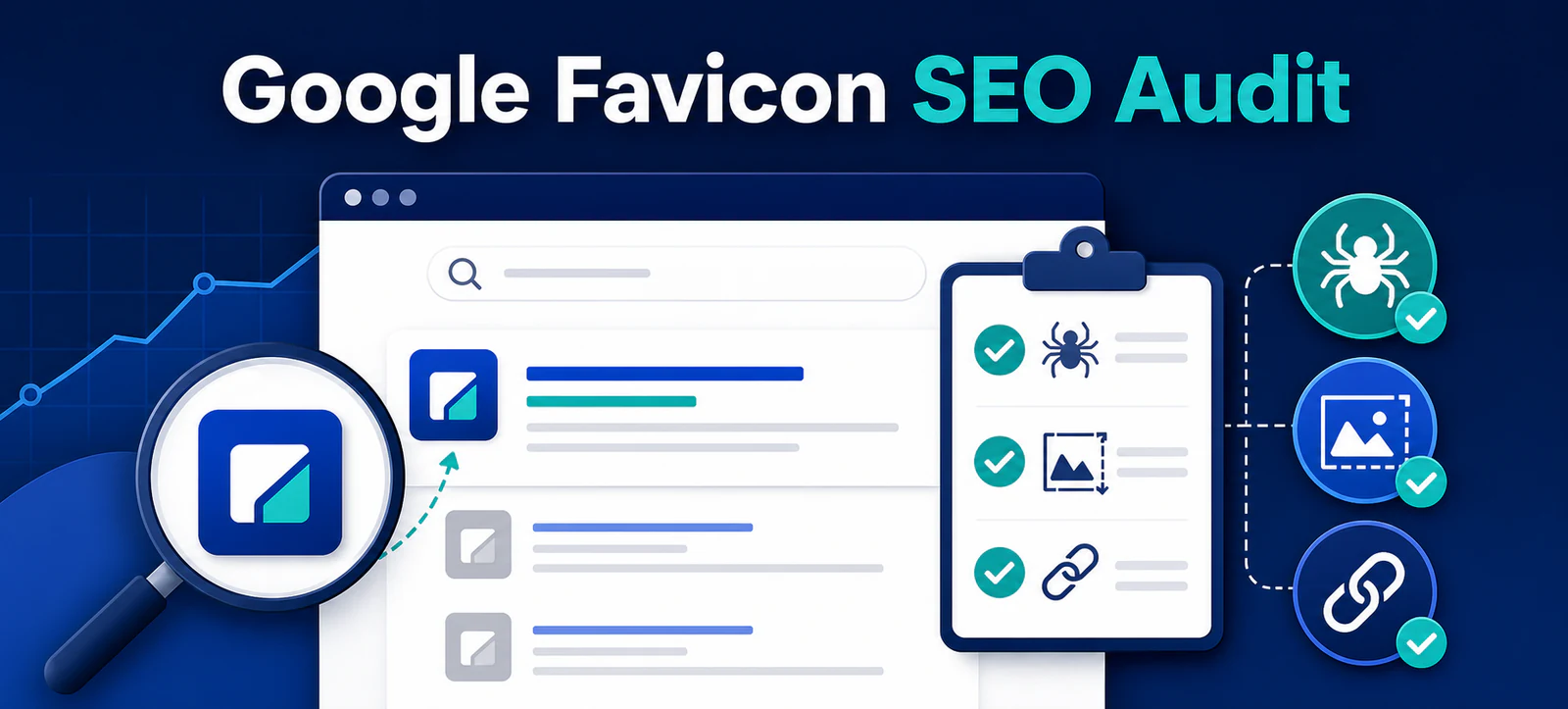
Google favicon SEO is easy to overlook because the icon is small, but it helps searchers recognise a brand beside its result. On 28 August 2026, Google clarified its favicon documentation by explicitly listing the image formats Search supports. Google says this was a documentation clarification, not a change to supported formats or a ranking update.
This practical audit explains the current requirements, common causes of missing favicons and the checks website owners should complete before requesting another crawl.
The clarification is useful for technical audits, but it does not create a new optimisation shortcut. Google may show a site’s favicon in organic results when the page and image meet its guidelines, yet display is not guaranteed. A correct favicon supports recognition and presentation; it should not be treated as a direct ranking factor.
Google favicon requirements at a glance
Audit item
Google guidance
Recommended check
Shape and size
Square, at least 8 × 8 pixels; larger than 48 × 48 is recommended
Export a clear square master that remains legible when reduced
File format
BMP, GIF, ICO, JPEG, PNG, PPM or TIFF
Use a supported, browser-compatible format such as ICO or PNG
HTML reference
A supported icon relationship in the home page head
Inspect the rendered source and resolve the absolute image URL
Crawl access
Home page and favicon must be crawlable
Check status codes, robots rules and authentication
URL stability
The favicon URL should remain stable
Avoid generating a new asset path on every deployment
How to implement the favicon correctly
Add the favicon reference inside the <head> of the site’s home page. A common implementation is <link rel="icon" href="/favicon.ico">. Google also recognises shortcut icon, apple-touch-icon and apple-touch-icon-precomposed relationships.
Use one consistent favicon URL and confirm it returns a successful response without a login, blocked request or redirect loop. The home page must also be accessible to Googlebot, while the image must be accessible to Googlebot-Image. Kayaar’s 60-minute SEO audit guide provides a broader technical checklist for crawling, indexing and page signals.
One favicon per hostname
Google supports one favicon for each hostname. That means www.example.com and shop.example.com can use different favicons, but folders such as example.com/blog/ and example.com/services/ cannot have separate favicons in Google Search.
This distinction matters during migrations and redesigns. Audit every live hostname, including versions that redirect, and decide which host should appear in search. Keep the icon visually connected to the site’s identity and avoid imagery that could be mistaken for another organisation.
Why a favicon may not appear
Start with the rendered home-page source rather than the WordPress media library. Confirm the correct link element is present, the referenced file opens, the image is square and robots rules allow both resources. A caching layer or theme setting may serve different HTML from what an administrator sees.
Next, check whether the icon is clear at a small size. Fine lettering, thin strokes and photographic detail can disappear in search results. A simple high-contrast mark usually survives reduction more reliably. Keep the URL stable after fixing it; repeatedly renaming the file can delay Google’s ability to recognise the current version.
For related search-appearance checks, review Kayaar’s guides to Article schema author URLs and FAQ structured data changes. These elements solve different problems, but each should be validated as part of an honest search-result audit.
How long an update can take
Google says it looks for and updates a favicon when it crawls the home page. Crawling can take several days to several weeks, so a corrected file may not appear immediately. Requesting indexing can help Google discover an updated home page, but it does not guarantee the icon will be displayed.
Record the change date, favicon URL and response status, then check again after Google has had time to recrawl. Avoid making daily changes while waiting because that makes diagnosis harder. Kayaar’s explanation of the Google Preferred Sources feature offers additional context on how publishers can improve recognition without assuming control over Google’s presentation.
A practical favicon audit workflow
Open the canonical home page and inspect its rendered head.
Resolve the favicon URL and confirm a successful public response.
Check that the file is square, supported and readable at small sizes.
Review robots rules for the home page and image.
Confirm the same stable URL is used across templates and deployments.
Document the fix, allow time for recrawling and monitor branded results.
A favicon audit is a small task with a clear outcome: a consistent, crawlable brand signal that Google can choose to show. If a wider technical review is required, contact Kayaar for a practical SEO assessment.
FAQs
Which favicon formats does Google Search support?
Google lists BMP, GIF, ICO, JPEG, PNG, PPM and TIFF as supported favicon formats.
What size should a Google favicon be?
The favicon must be square and at least 8 × 8 pixels. Google recommends using an image larger than 48 × 48 pixels.
Can subdirectories use different favicons in Google Search?
No. Google supports one favicon per hostname, so subdomains can differ but folders on the same hostname cannot.
Why is my favicon not showing in Google?
The page or image may be blocked, the HTML reference may be missing, the file may not meet guidelines, or Google may not have recrawled the home page yet. Display is never guaranteed.
How long does Google take to update a favicon?
Google says crawling can take several days to several weeks, so favicon changes may not appear immediately.